![Main.png]](https://knowledge-hub.greyparrot.ai/hs-fs/hubfs/Main.png?height=40&name=Main.png)
Watch the tutorial:
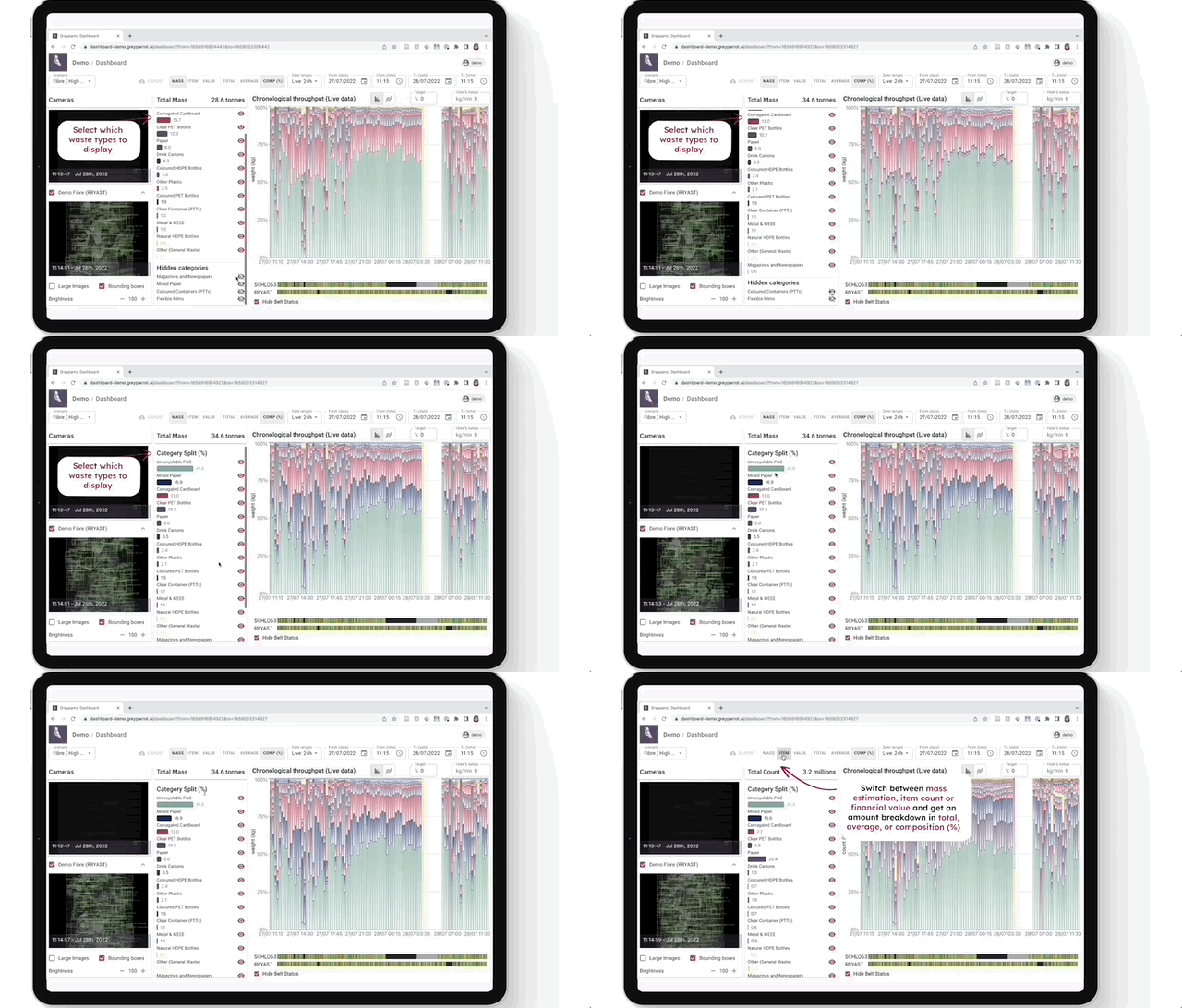
It's worth spending some time on customisation. You'll have the data you need to enhance operational decision-making, improve commercial analysis, and ultimately get an accurate understanding of your facility’s ROI 📊
Customise these key parameters before going live
The set up stage is an opportunity to tailor your dashboard to your specific needs. Here's what you can do, and why it's useful:
- ⚖️ Choose the metrics that make sense: Surface the most relevant metrics at the top of your graph. From mass estimation and item count to financial value, in total or average amounts. Check out our guide to setting up the financial value metric to get started.
- 🕓 Set timeframes: Analyse your material data in real-time or in retrospect, on a yearly, monthly, weekly, daily or even minute-by-minute level. You'll find the options directly above the graph.
- ⌛️ Focus on the data that counts: Filter out low throughput to easily exclude irrelevant or non-representative data in your analysis.
- ⚙️ Keep an eye on operations: Highlight the status of conveyor belts across your facility. This lets you continuously monitor your plant operations and quickly link drops in productivity with downtime.
- 👥 Bring your team on board: Add unlimited users and customise access permissions on an individual level.