![Main.png]](https://knowledge-hub.greyparrot.ai/hs-fs/hubfs/Main.png?height=40&name=Main.png)
How to set it up:
Prefer to read? Here's how you generate a report:
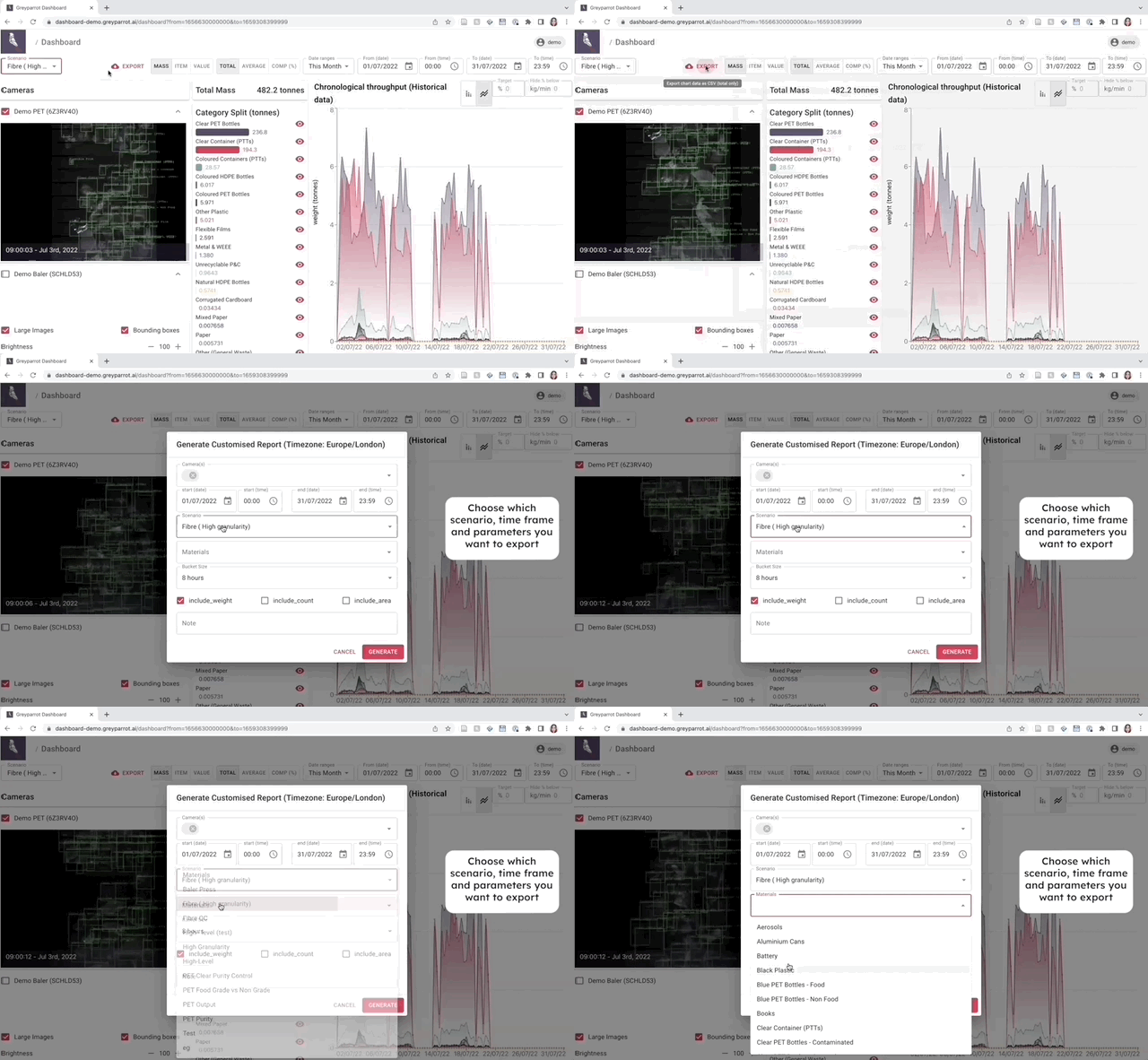
- Go to the live dashboard and click the export button.
- Select the waste stream(s) you want to report on, the time frame you want the report to cover, the metrics you need, and the granularity (time and material).
- Click generate and export to create a CSV file.
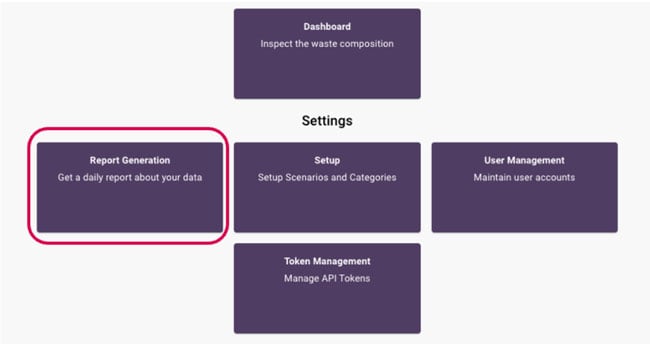
You'll be able to download CSVs in the Report Generation tile, under Report Downloads:
Automated reporting
Need to deliver reports on a regular basis? Here's how to create templates that get sent to your team automatically:
- Click on the Report Generation tile.
- Create a report template with custom parameters:
- Should it send daily, weekly, monthly or yearly?
- What metrics need to be included?
- Which materials should it cover?
- Select your teammates' email addresses.
Reporting in action
Make the most of your dashboard's reporting capabilities, and you'll be adopting a truly data-driven approach to operations.
The applications are endless, but so far, waste operators been able to:
- Cross-check sampling results against continuous monitoring (to ensure accuracy of manually collected data).
- Proactively monitor equipment maintenance (before it's too late!)
- Diagnose causes of plant downtime (to increase valuable uptime).
- Evaluate staff training needs (based on objective data).